

This is an older article for our previous machine. Since the electronics are almost the same as the Avantic machine, this guide still works.
This is how it works. Relay stops and starts the spindle via Mach3. 0-10V is speed where 10V is maximum speed (24000rpm) and 0 lowest speed. 5V becomes half ie 12,000rpm. Unfortunately, the card does not give exactly 10V but 9.56V in my case, so the speed is not accurate.
Start by connecting – the ACM port and the V1 port to the 0-10v ports. ACM is connected to “GND” (the screw at the bottom if you look at the picture above) and V1 to the screw above (0-10v)
Also connect the spindle ON/OFF ports to DCM and FOR. DCM is connected to the screw next to the top (if you look at the picture above) and FOR is connected at the top.

You also need to move a jumper, to V1, see picture below

Open Mach3 and go to Config / Spindle Pulleys and set the following

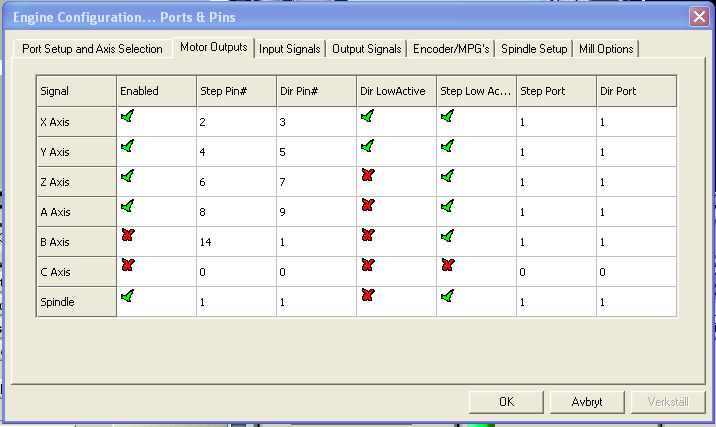
Go to Config / Ports and pins / Motor outputs and set Spindle as the picture
Go to Config / Ports and pins / Output Signals and set the following

Go to Config / Ports and pins / Spindle setup and set the following

I have set the PWM Base Freq to 1000 because I do not get 10V to the inverter, with 1000 I get pretty close to the speed I want. Usually, the value should be 4166 or similar but test yourself for what works for you. CW Delay Spin up / DOWN is set to 10, which means the machine waits 10 seconds before it starts cutting so that the spindle can reach its speed. I have set my inverter to come up at the right speed in 10 seconds, I want to wait 10 seconds before I cut. If you have your spindle speed upstart set to 20 seconds or 50 seconds then your value should be the same in Mach3. You also need to program your inverter. Click PRGM and set the inverter to allow Mach3 to control it. Look at the pictures. I show pictures so you can see if you have the same inverter.
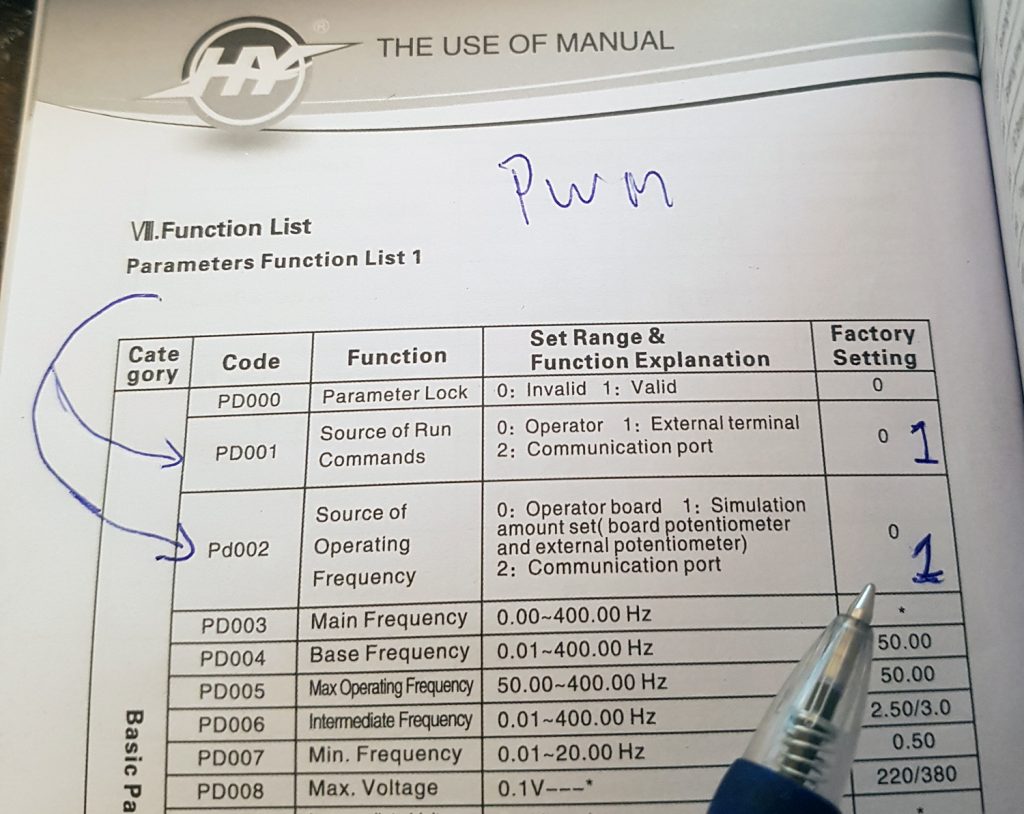
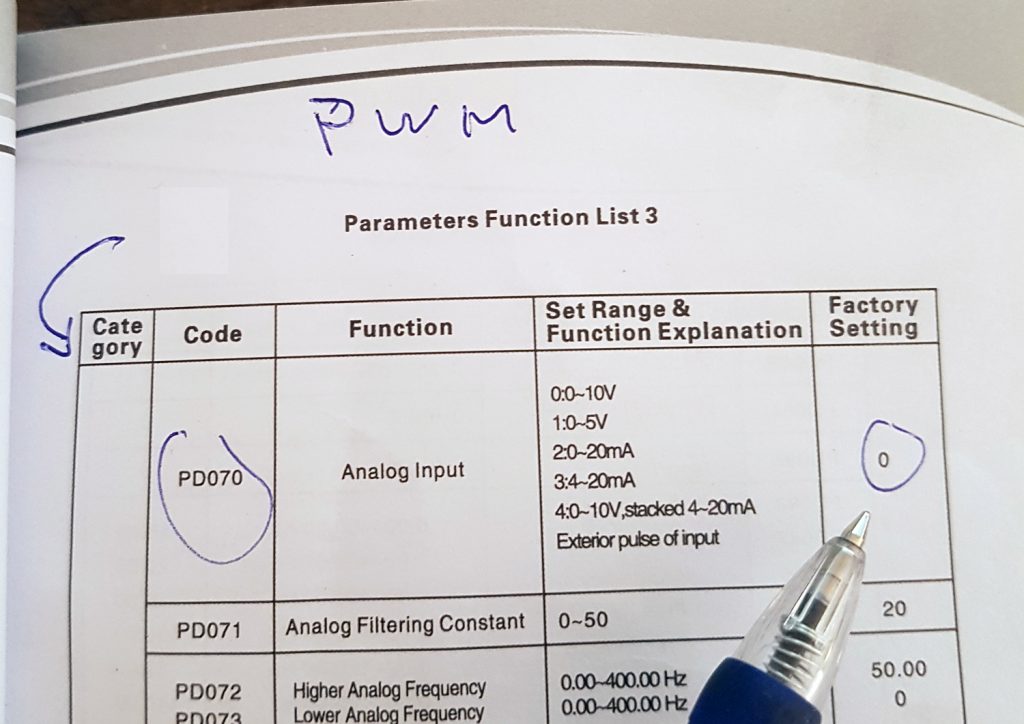
You should be able to controll your spindle by pressing the Spindle CW F5 button. The speed of the spindle is now set in your CAM software.

As soon as I get the time, I will see how to connect the other models.


Leave a Comment
You must be logged in to post a comment.